
Understanding Data
A number on its own means nothing - it only means something in context. In Excel, that context is implied by where a number sits: which sheet it's on, which tab, which row, which column. In MODLR, that context is the number's address.
Data in Excel
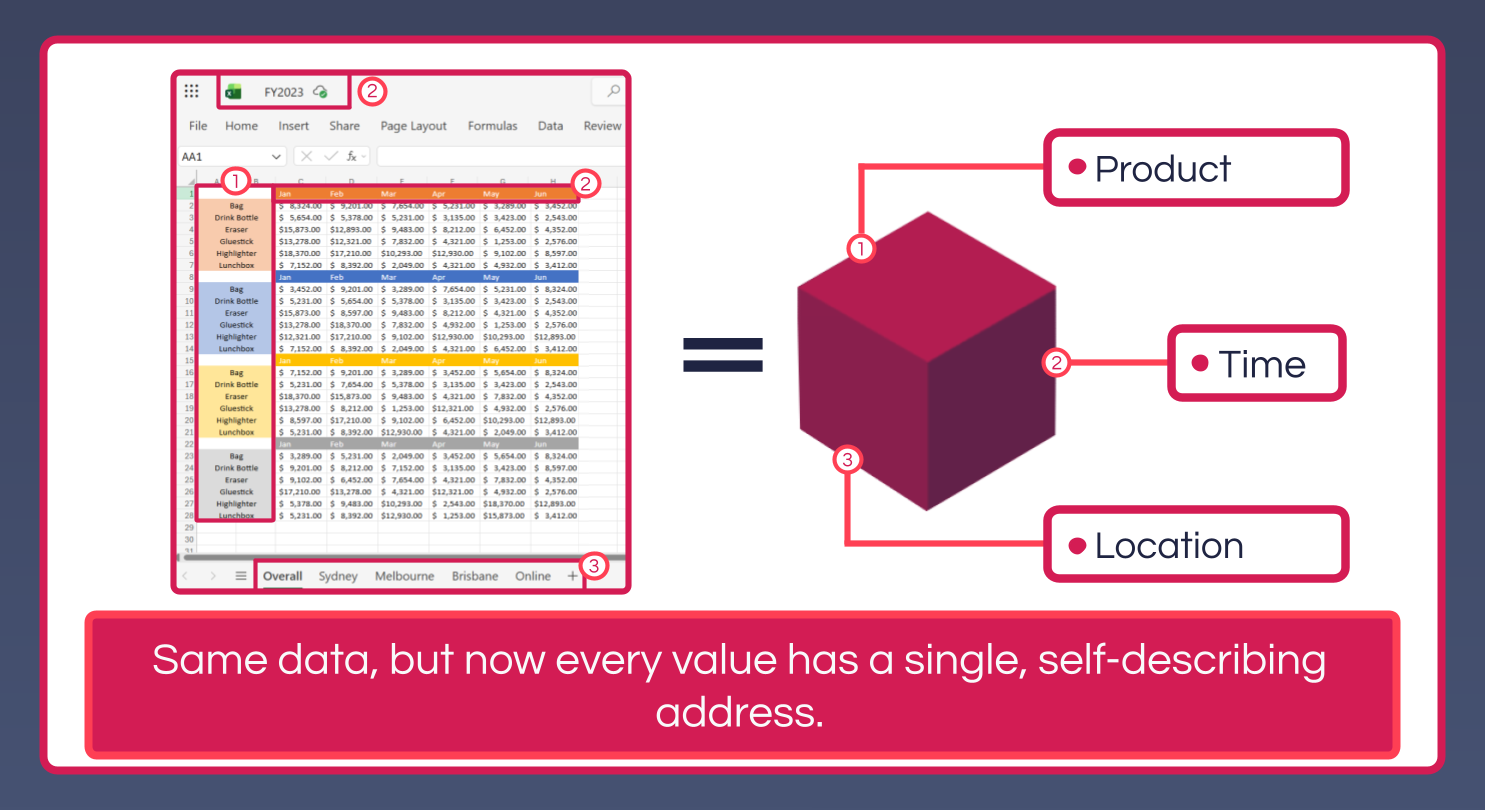
A spreadsheet is a two-dimensional grid, so anything with more than two dimensions - Product, Time and Location, for example - has to be flattened to fit it. Location becomes a tab, Product becomes a set of rows repeated on every tab, and Time becomes a set of columns. To know what a single number means, you have to read all three - the tab name, the row label and the column header - and hold them together yourself. Nothing enforces that combination: sort the rows, insert a row, rename a tab, or copy a value into the row above by mistake, and the number's meaning silently changes without the number itself changing at all.
Data in MODLR
In MODLR, a single number is addressed by a complete, self-describing identity:
["Actual", "2024 - Jan", "Sydney 01", "Widget A", "Revenue"]This address contains every piece of contextual information that distinguishes this number from every other number. The address is stable: if you reorganise the report, the address doesn't change. The address is unambiguous: there's no possibility of confusion about what scenario, period, location, product, or measure the number refers to.
The diagram above shows the same Product, Time and Location data collapsing from separate rows, columns and tabs into a single Cube, where those three become Dimensions and every value sits at the intersection of one element from each. The example address goes further, adding a Scenario ("Actual") and a Measure ("Revenue") on top - a Cube can carry as many Dimensions as the model needs, and every number is still identified by exactly one combination of elements, one per Dimension.
Illustrating the improvement
- Reorganising a Workview - sorting, moving elements around in a Hierarchy, changing which Dimension is shown on rows versus columns - never changes a number's address, because the address is the combination of Dimension elements, not a position on a page.
- There's no "wrong row" to paste into. A fact in MODLR carries its own identity wherever it's viewed, instead of relying on staying in the row and column someone originally put it in.
- Tracing a number back to its source is unambiguous - the address says exactly what scenario, period, location, product and measure it belongs to, with nothing left to infer from a tab name or a row someone scrolled past.